Use the right card. Every time.
Lucro shows which of your credit cards earns the most at any store, in one tap. No bank logins, no card numbers, and nothing leaves your phone.
Free to use. Not financial advice; see terms.
The best card for every purchase, in three taps
Banks make rewards complicated on purpose. Lucro does the math for you, right at checkout.
Add the cards you carry
Pick them from the list. No account, no bank login, no card numbers. Just which cards you have.
Search where you're shopping
Costco, Chipotle, a gas station, Amazon. Lucro knows the category and every card's rules.
Pay with the card it shows
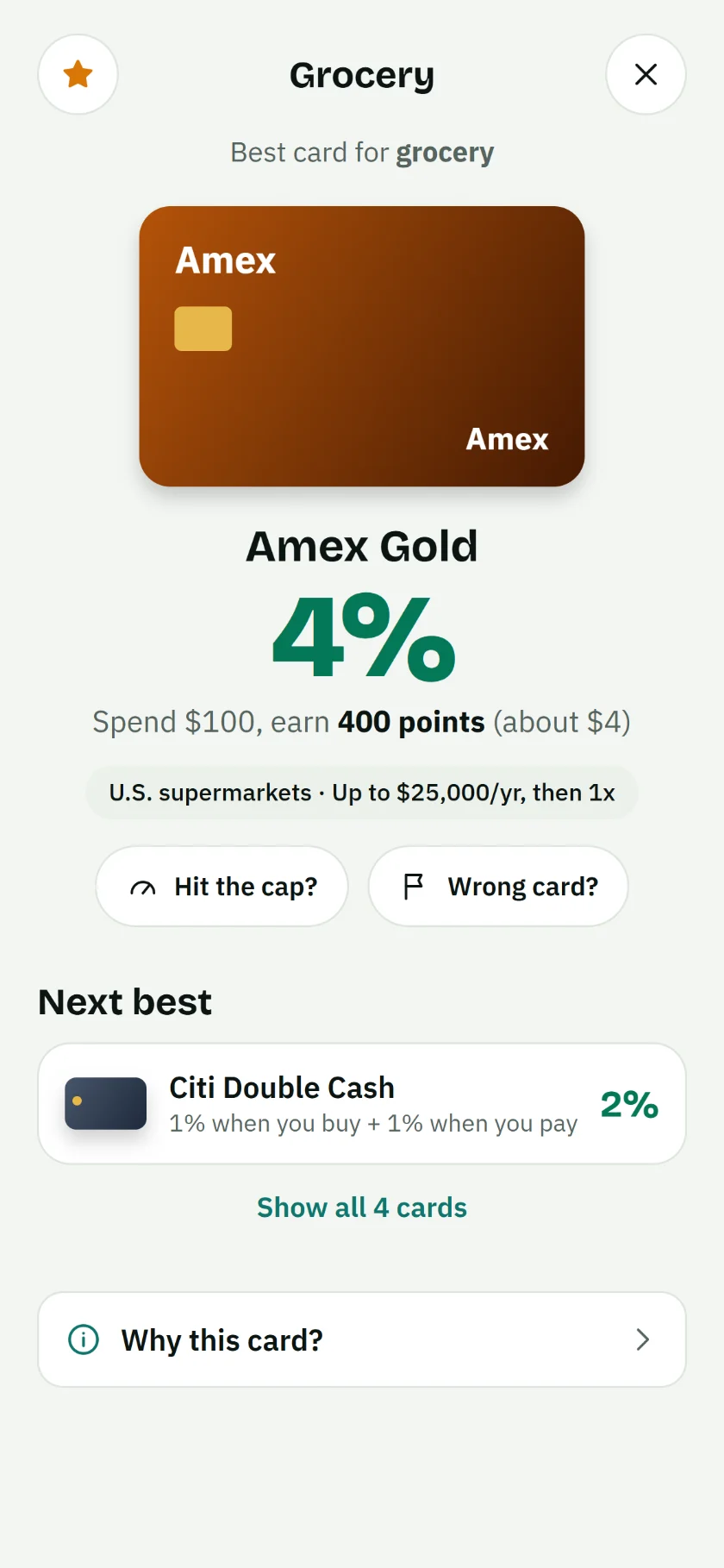
See the winner, the rate, and what you'll earn on $100, plus the next best card in case it isn't accepted.
Stop guessing at checkout
Rotating 5% categories, store-specific bonuses, points versus cash back. Lucro compares every card in your wallet and shows the one that pays you most, in plain dollars.
- Points and miles valued fairly against cash back
- Knows store rules, like Costco only taking Visa
- Spending caps tracked, so you switch cards at the right time
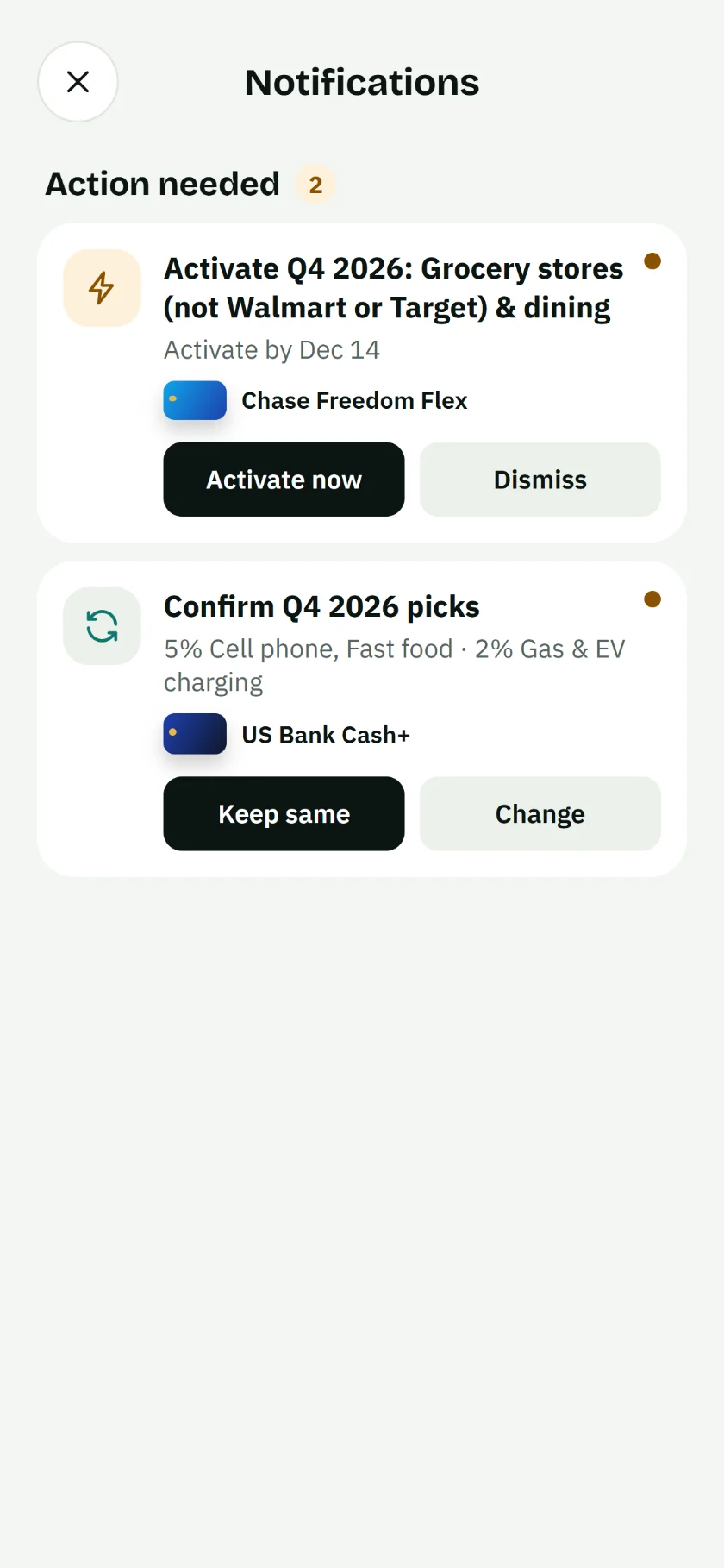
Quarterly 5% categories, handled
Many cards make you activate bonuses or pick categories every quarter. Lucro reminds you before the deadline and keeps your picks in sync, so the 5% never slips by.
- Reminders a week and a day before activation deadlines
- One tap to confirm next quarter's picks
- Reminders are created on your phone, not on a server
See what every card is best for
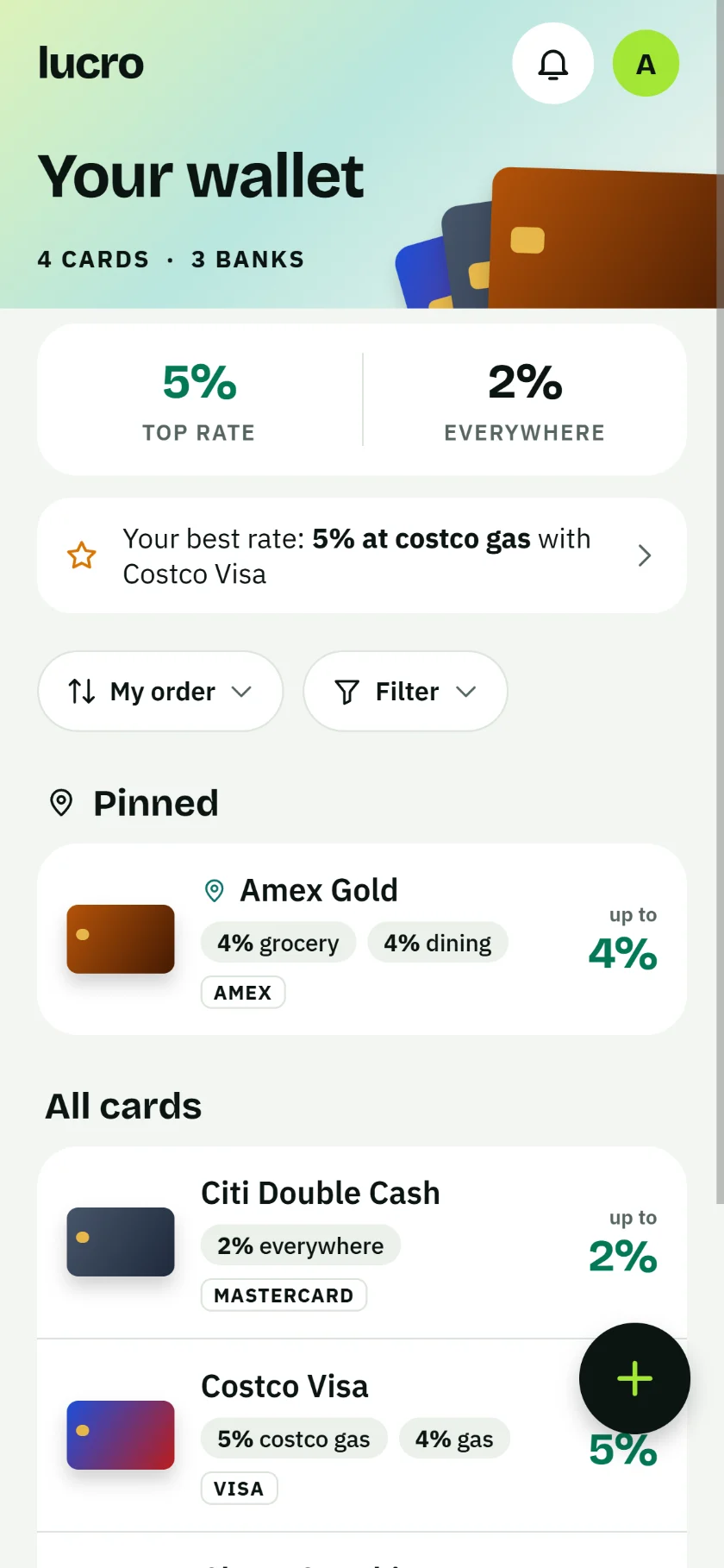
Your top rate, your everyday rate, and what each card shines at, all on one screen. Sort, filter, pin favorites, and drag cards into your own order.
- "Best for" tags on every card
- Back up to iCloud Drive and restore on a new phone
- Works offline, even in a store with no signal
Your wallet never leaves your phone.
Most finance apps want your bank login and sell what they learn. Lucro is built the other way around: it works entirely on your device, and we can't see your cards even if we wanted to.
Everything you need, nothing you don't
Store search
Type a store name and get the winner instantly, or pick a category for local shops.
Category picks
For cards where you choose your bonus categories, Lucro uses the ones you picked.
Deadline reminders
Optional heads-ups before bonuses and picks are due. Off until you turn them on.
Backups you own
Save a backup file to iCloud Drive or Files. Restore it any time, on any phone.
Good questions, straight answers
Is Lucro really free?
Yes. Picking the best card is free. If we ever add paid extras, the core answer of which card to use will stay free, and rankings will never be for sale.
Why doesn't Lucro ask for my bank login?
It doesn't need it. Knowing which cards you carry is enough to compare their rewards, and keeping your bank login out of the picture keeps you safe.
How does Lucro decide which card wins?
It applies each card's published rewards rules to the store's category, including rotating bonuses, your category picks and spending caps. Points and miles are counted at a conservative cents-per-point value so they compare fairly with cash back.
Earn more on everything you already buy
Lucro is coming to iPhone. Send us a quick note and we'll email you once, the day it launches.